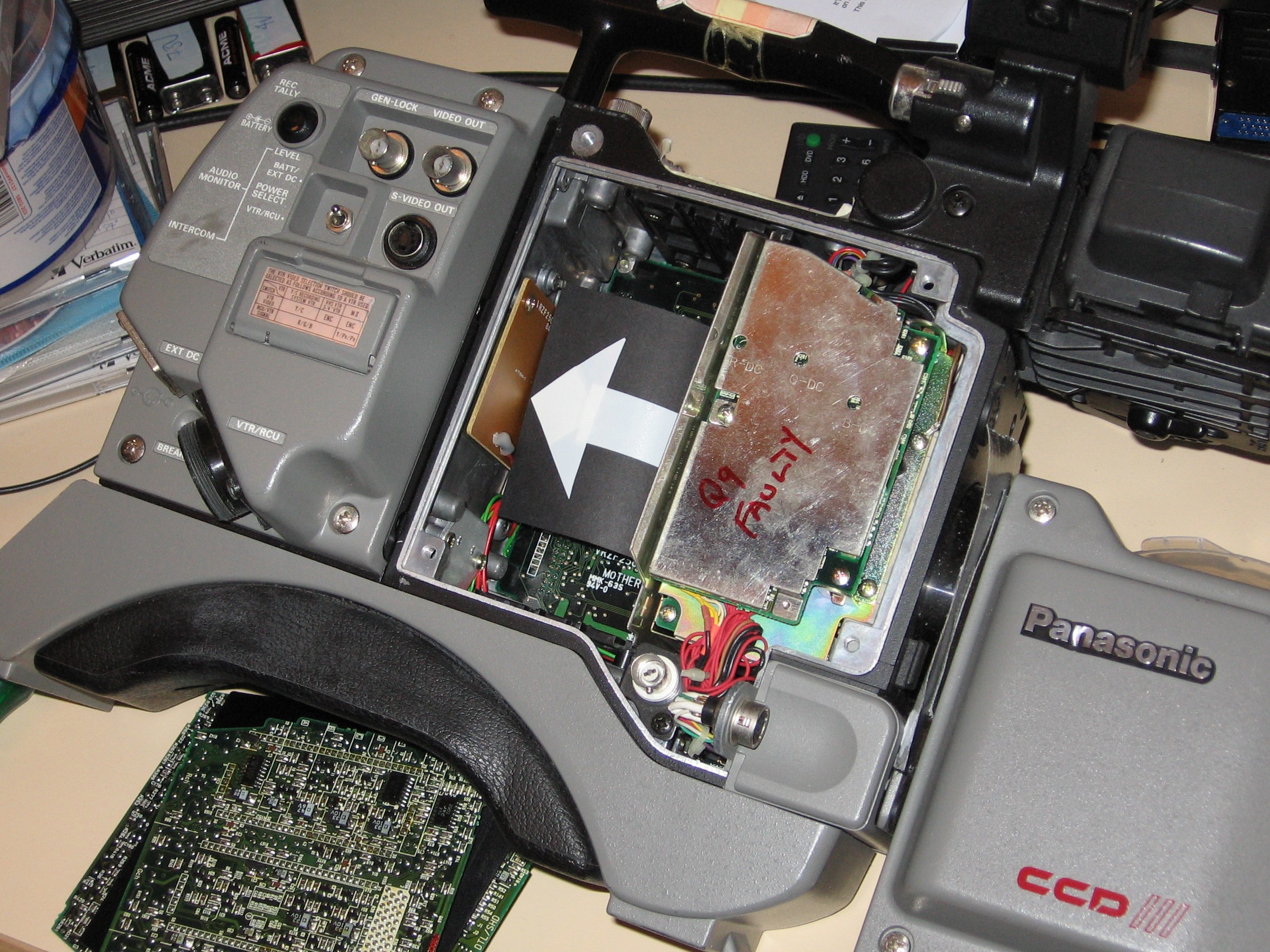
The clock isn't as good as a wristwatch, so you can expect the time to be a bit wrong, even when it's working normally. But when it gets really bad, you'll want to replace its battery. Especially if you're losing white/black balance settings, as well (the clock battery is used to power more than just the clock circuitry). And, I think, other workshop settings (for the camera set-up) may need the battery to hold their settings, though it's possible that they use non-volatile RAM.
A small battery is used to keep a small part of the auto-board running when the camera is powered off. It's mounted in an awkward spot inside the camera head, requiring you to pull out all the cards to access it (see photo of battery board location, the white arrow is pointing to the board). And you'll need a short screwdriver, or one with a bent shaft, to unscrew the board that the battery's mounted on. It's wired up, through a 1 kΩ resistor, to the auto-board.
Be very careful pulling out the boards. They can be quite firmly in place, and it's all too easy to rip off some components, or parts of the edge of the board, when trying to extract the board.
The service manual gives no details, other than Panasonic's own part number (BR30321F2, which could mean a common BR3032 battery, but I don't know). But someone else, who was repairing their camera, tells me that theirs was a BR2325 three volt battery. Either way, the battery has solder tags already attached to it, so it can be soldered to a board without damaging the battery; and you want one with several years life to it (we've one camera with a battery that must be around 15 years old, and it's clock is still going fine, it was about two hours fast since the clock was last set some years ago). The circuit around it uses 5.1 volts when powered up normally, so the battery would be somewhat less than that (so the battery is not used when the camera is powered up).
There is no battery in the VTR (when you have one attached to the camera). The timecode generator has a high-value capacitor in it, to keep it going when the main power is off. I suspect the frame counter on the VTR has a similar circuit, so it can remember the count from when you stopped the tape.
No. It's probably not even possible to modify the camera to do that, as all of the on-screen-display is generated from the same source (text, VU metering, and framing markers). You'd need to be able to turn all of that off, and force the clock on.